🎮
From watching to taking part
Viewers get easy ways to join in - reacting, launching Hype Drops, and helping shape moments instead of just scrolling chat.
 HypeDrive
Interactive Twitch engagement
HypeDrive turns watching into taking part. Your audience uses Twitch Bits to place themselves on live scoreboards, fuel play related challenges, and react to the big plays in real time. More engagement, more Bits, more hype.
Most of your audience just watches. HypeDrive gives them simple, fun ways to take part with Twitch Bits - and every interaction is a Bit used, so engagement and revenue rise together.
Viewers get easy ways to join in - reacting, launching Hype Drops, and helping shape moments instead of just scrolling chat.
Every interaction is powered by Bits, so the more your community plays along, the more participation and revenue grow together.
Reads your game in real time, so scoreboards, challenges, and hype land exactly when the action does.
Interactive overlays that reward participation - and Bit usage.
A real-time scoreboard overlay pulls live data straight from the game - score, clock, momentum - so viewers always know the stakes. It turns every clutch moment into a reason for the chat to react and launch a Hype Drop with Bits.
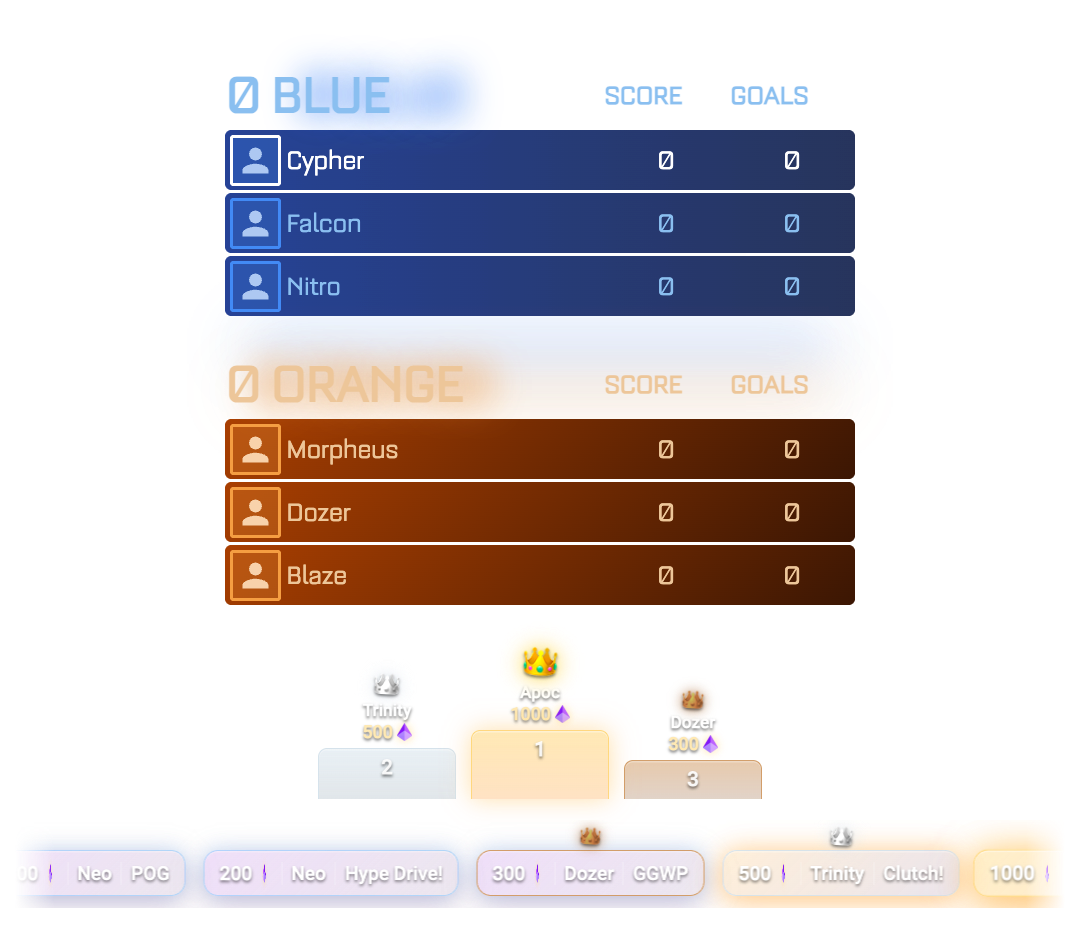
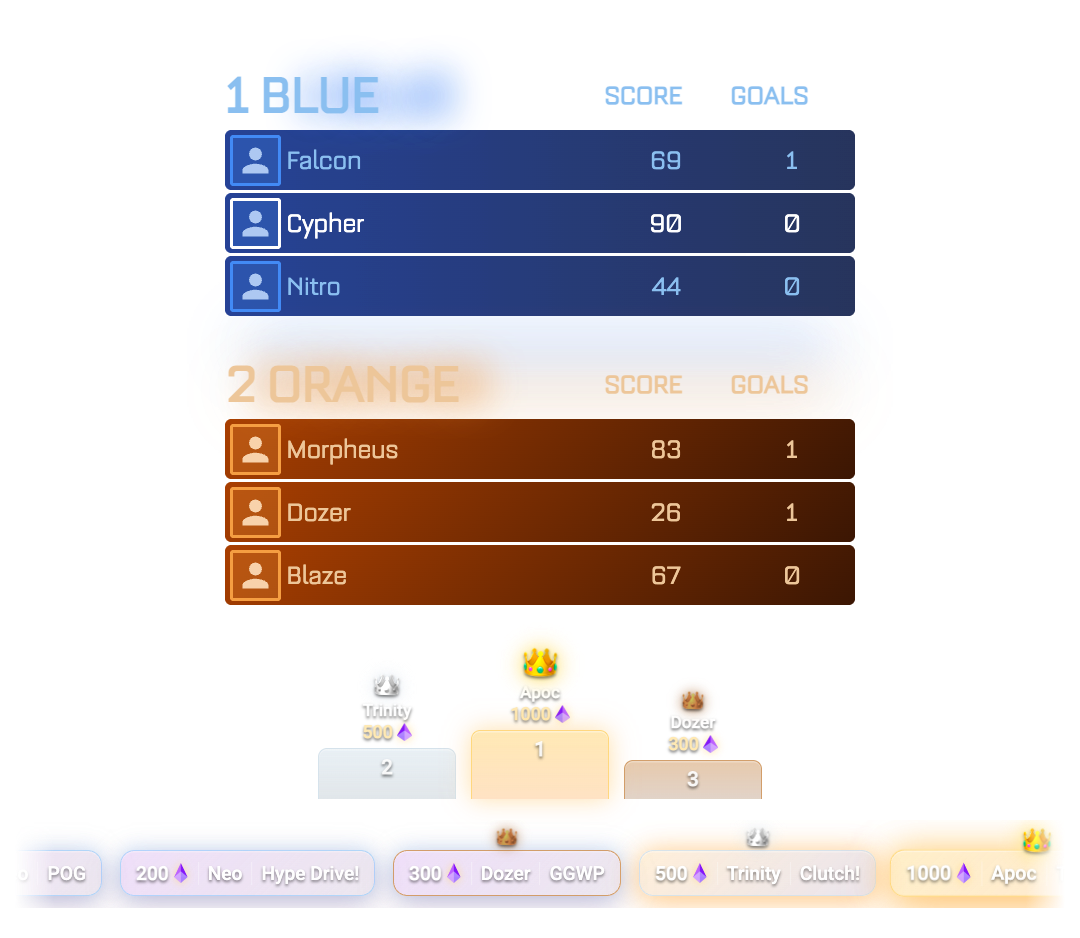
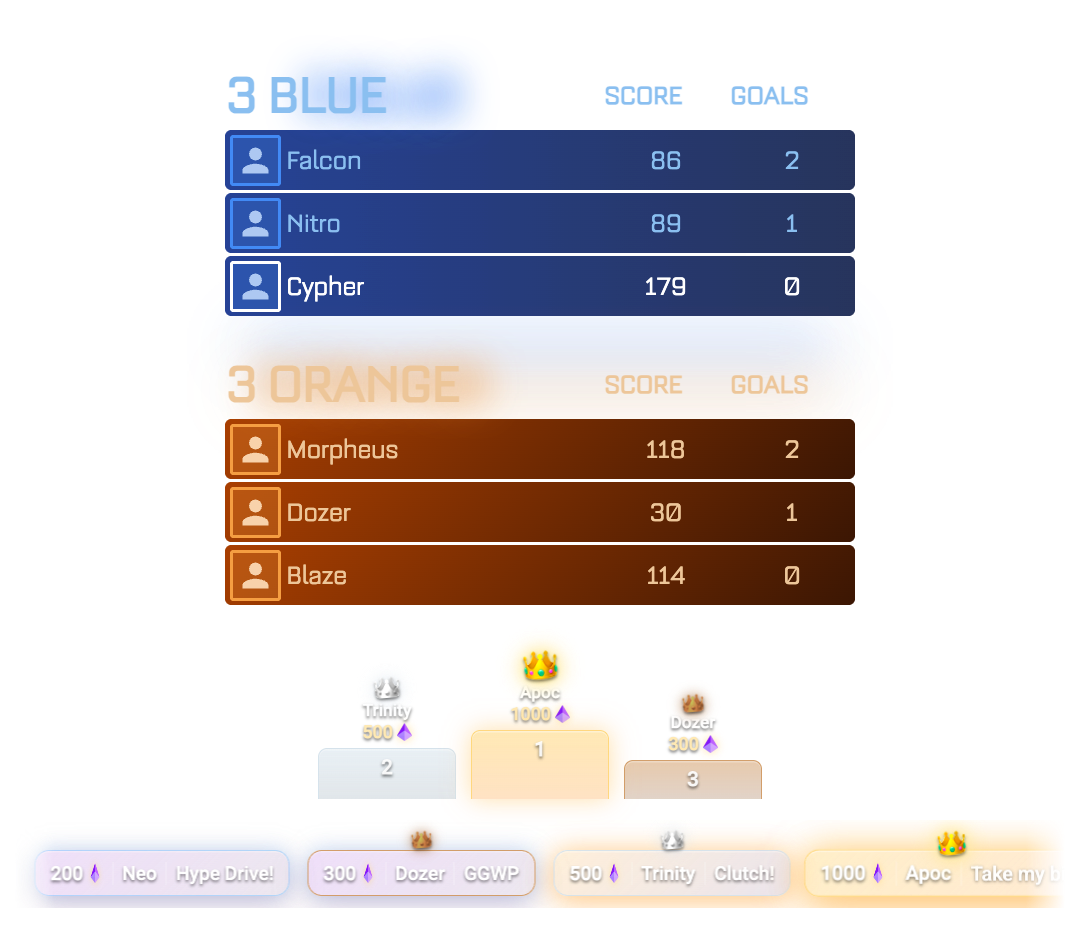
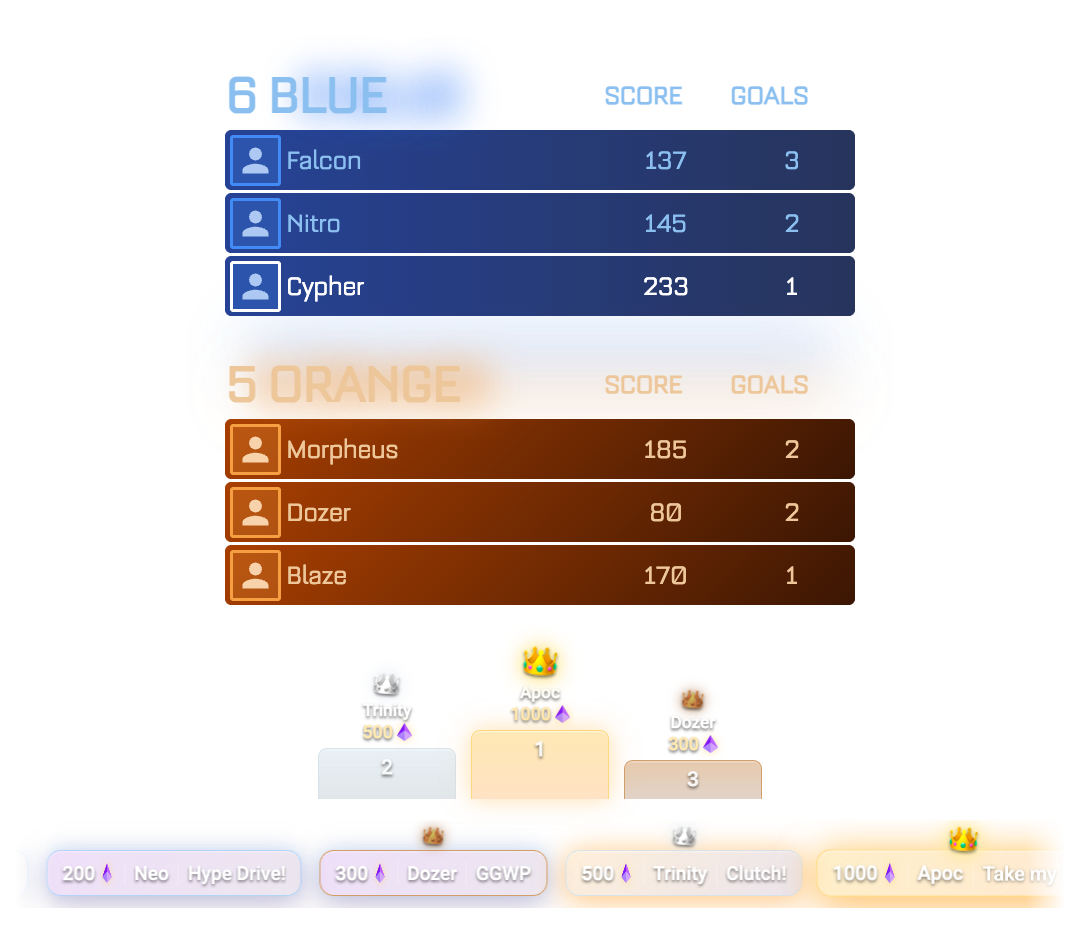
Your audience uses Bits to set in-game challenges for you to pull off live: score a hat trick, win three in a row, clutch a comeback. Land it on stream and the whole chat erupts - it ties Bits straight to your plays.
Coming soon
In-game challenge cards - "Score a hat trick", "Win 3 in a row" -
backed by Bits, with live progress on stream.
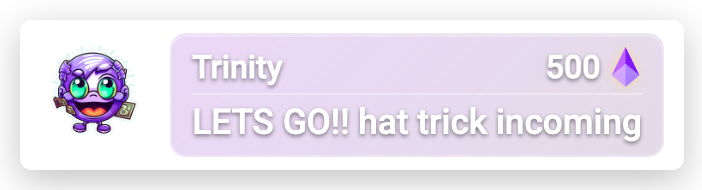
Hype Drops and milestones fire animated, impossible-to-miss celebrations on your stream - instant recognition that makes viewers want to be the next name on screen. And there's more on the way as HypeDrive grows.
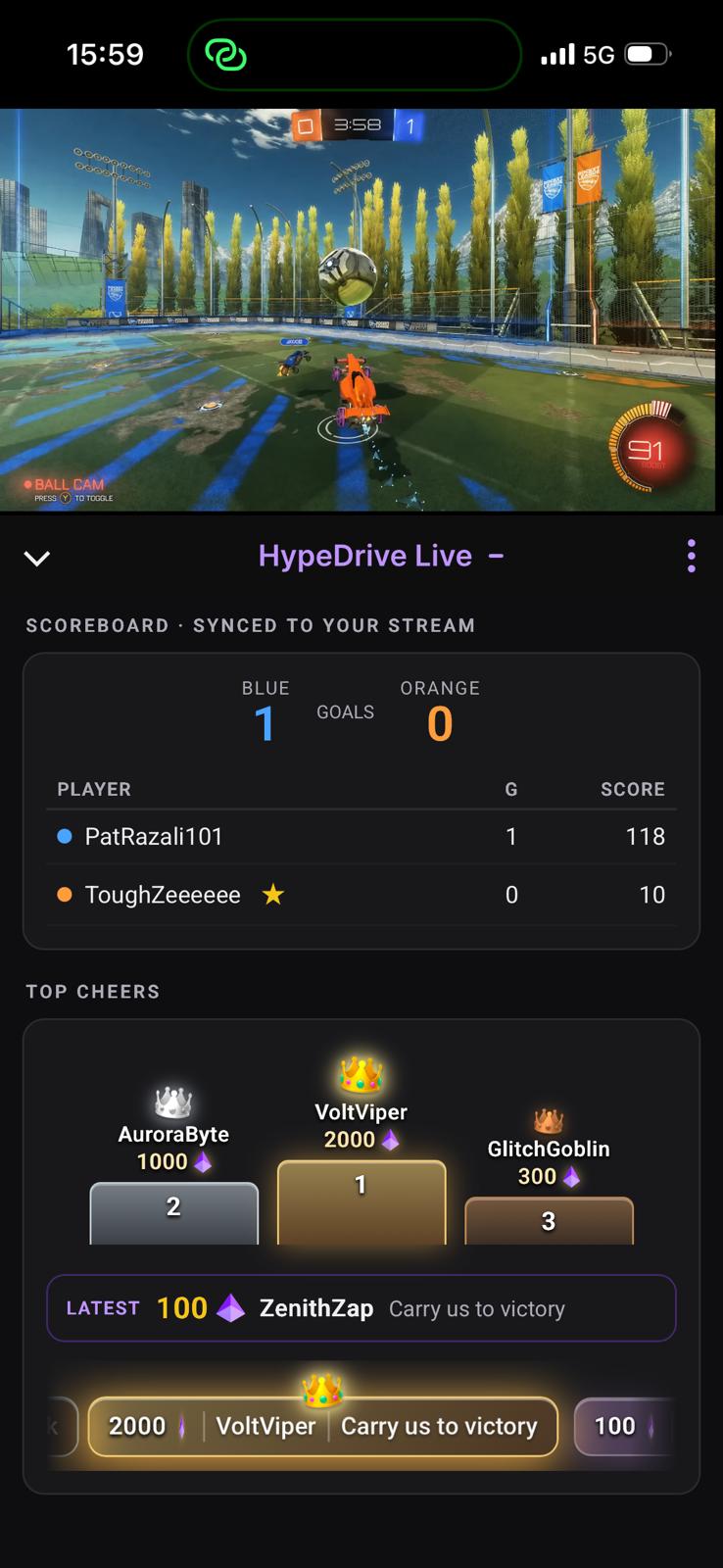
Watching on the Twitch mobile app? HypeDrive is right there in the panel - the live scoreboard, top Hype Drops podium, latest participant, and Launch a Hype Drop action all fit a single thumb-scroll screen. No overlay needed, so on-the-go viewers still fuel the hype.
HypeDrive isn't just for show. Giving viewers a way to take part keeps them watching longer, pulls them into the action, and turns that attention into Bits activity on your stream - one feeds the next.
Live scoreboards and challenges give viewers a reason to stay for the next play instead of clicking away.
The longer they watch, the more they get involved - reacting, launching Hype Drops, and rallying the chat around your stream.
Every interaction runs on Bits, so a livelier, stickier stream naturally drives more Bit support back to you.
HypeDrive is live for Rocket League today, with more titles on the way. Grab early access and tell us which game you stream - it helps us decide what's next.
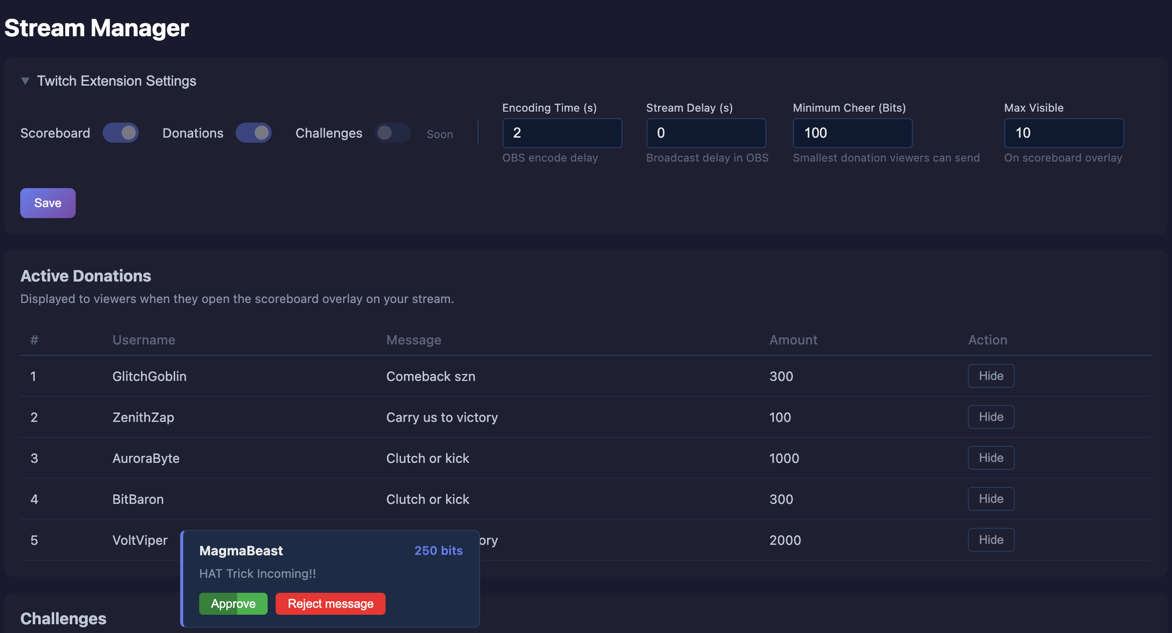
HypeDrive is fully configurable from the desktop app - and nothing hits your stream without your say-so.
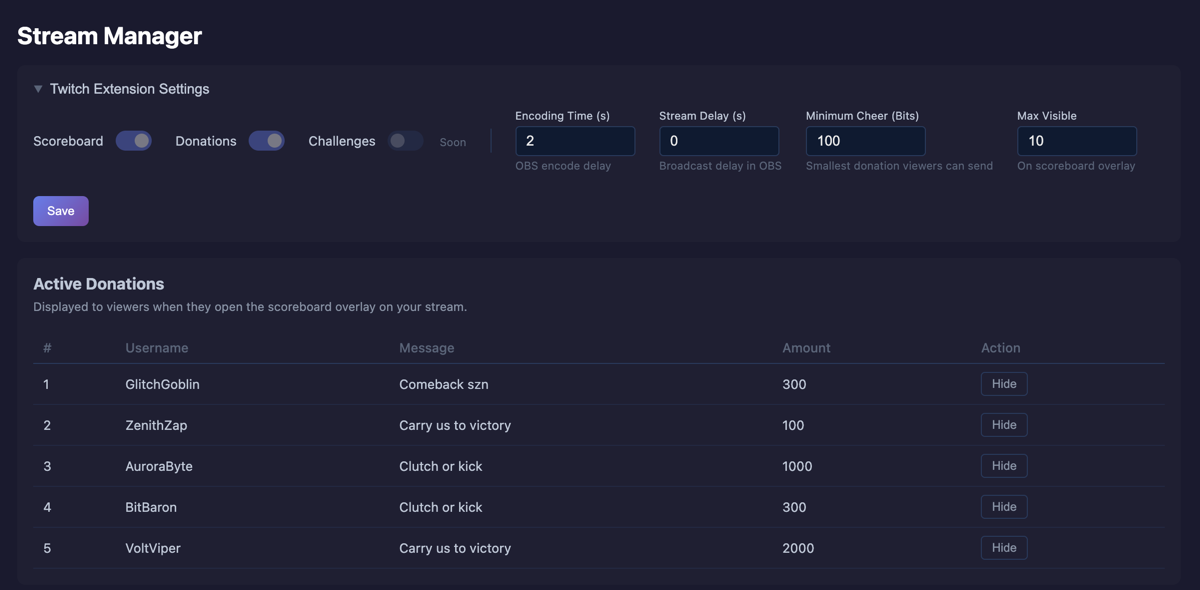
Flip the Scoreboard, Hype Drops and Challenges overlays on or off, then tune them: set the minimum Bits amount for a Hype Drop or challenge, and cap how many Hype Drops show on the scoreboard at once. Dial in your OBS encoding and broadcast delay so everything lands in sync.
When a viewer attaches a message to a Hype Drop, it pops in your Stream Manager for a quick call: Approve to put it on stream, or Reject message to drop it. Nothing reaches your audience until you say yes - so the hype stays yours.
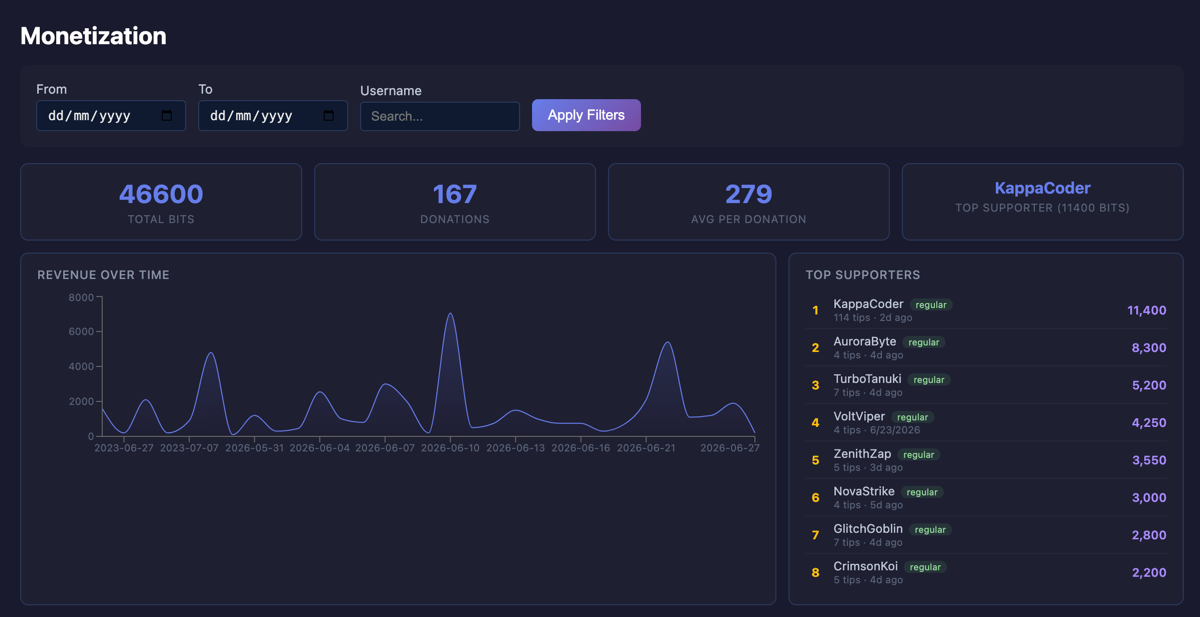
The Monetization tab turns every Hype Drop into numbers you can act on - so you can see what's working and lean into it.
See total Bits, Hype Drop count and average per Hype Drop at a glance, watch your revenue trend over time, and identify the participants driving your community. Filter by date or viewer to dig into any stretch of your stream.
One Twitch login and four simple steps - no keys, no config files, no engineering degree required.
Grab the HypeDrive desktop app on Overwolf and sign in - it reads your game live and powers the overlay.
Drop HypeDrive onto your stream and connect your Twitch channel in a couple of clicks.
Your audience joins the action - driving the scoreboard, launching challenges and Hype Drops - all powered by Twitch Bits.
HypeDrive turns every interaction into a real-time, animated moment for the whole stream to see.
One Twitch login links your channel, sets up the extension, and gets your overlays ready. No API keys, no manual setup - just connect and stream.
Tell us about your stream and how to reach you. Our team from HypeDrive will reply and walk you through onboarding - no bots, no autoresponders.
Our team reads every message and replies personally to help you get started.